|
Options |


|
|
Options |
|
Program options are set here.
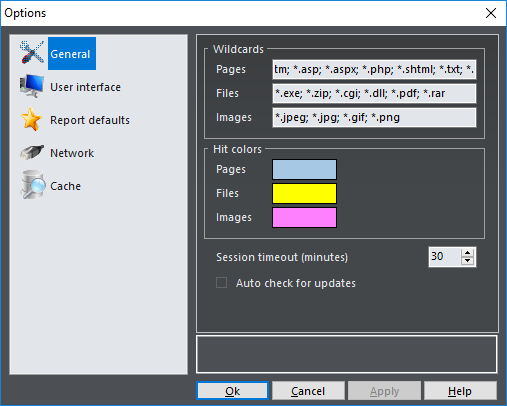
Wildcards |
Page, file and images wildcards |
Hit colors |
Customizable colors for particular types of hits |
Session timeout (minutes) |
Session timeout to use when analyzing sessions. Log files should be re-read before an analysis if you change this option |
Auto check for updates |
If selected, Web Log Storming will automatically check for new versions of software |
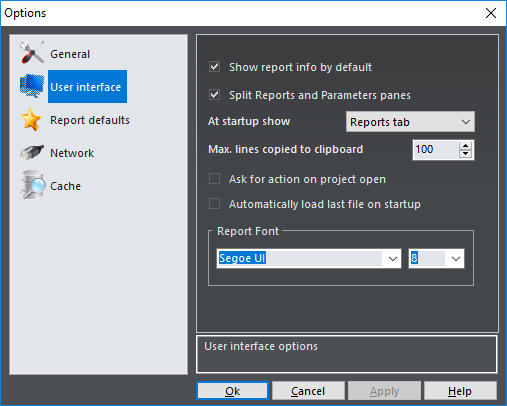
Show report info by default |
Turns on or off short report information at the bottom of the screen |
Split Reports and Parameters panes |
Split Reports and Parameters panes (especially useful for wide screens) |
At startup show |
Choose tab to be shown at startup. Available options: Reports tab and Parameters tab. Useful only if previous option is turned off |
Max. lines copied to clipboard |
Limit the number of lines when copying report content to the clipboard. Same limitation apply to Print and Export options Professional edition only |
Ask for action on project open |
If this option is checked, you will be able to choose what you want to do before analysis (i.e. edit project or skip download) |
Automatically load last file on startup |
If you turn this option on, every time you start Web Log Storming, it will automatically load last analyzed file |
Report Font |
Choose font name and font size for report lists and report tree |
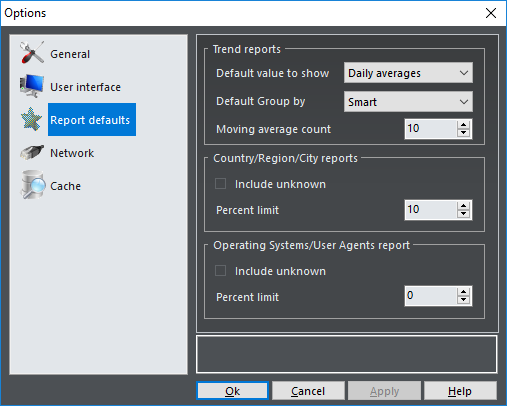
Trend reports |
Default options for Trend parameters |
Default value to show |
Value that will be shown if report is not grouped by day. Available options: Daily averages and Totals |
Default Group by |
Controls how trend reports will be grouped. Available options: Smart (automatically determine for best visibility) and Day (force grouping by day regardless of number of bars) |
Country/Region/City reports |
Sets defaults for country, region and city Pie parameters |
Operating Systems/User Agents reports |
Sets defaults for operating system and user agents Pie parameters |
Network
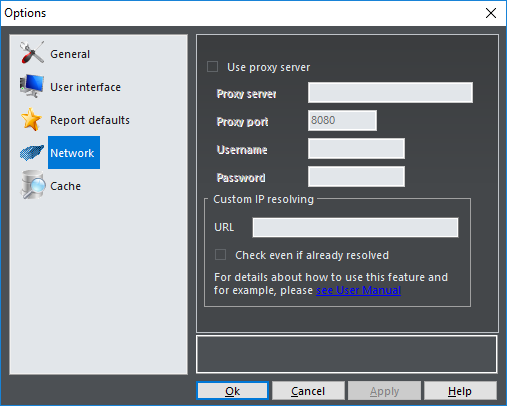
Use proxy server |
If your connection requires using of proxy server, turn this option on |
Proxy server |
Enter proxy server name |
Proxy port |
Enter proxy server port |
Username and Password |
Enter username and password, if required |
Custom IP resolving |
Professional edition only |
URL |
URL to check IP before regular resolving |
Check even if already resolved |
Always check, even if domain is already resolved. It could significantly slow down the process |
Cache
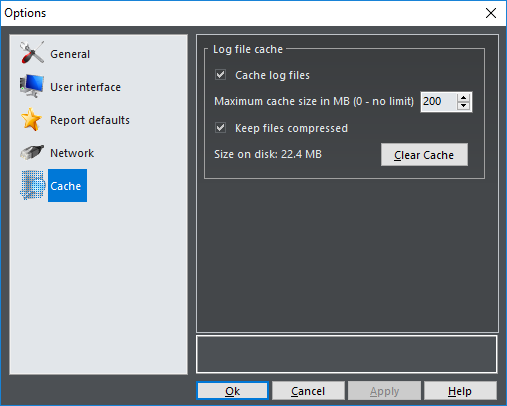
Cache log files |
Save parsed log files for faster analyzing next time |
Maximum cache size |
Delete old cache when total size exceeds designated size |
Keep files compressed |
Slightly slows down reading, but significantly reduces disk space |
Size on disk |
Current cache size on disk |
Clear Cache |
Delete all cache files |
See also