Web Log Storming Analyzer
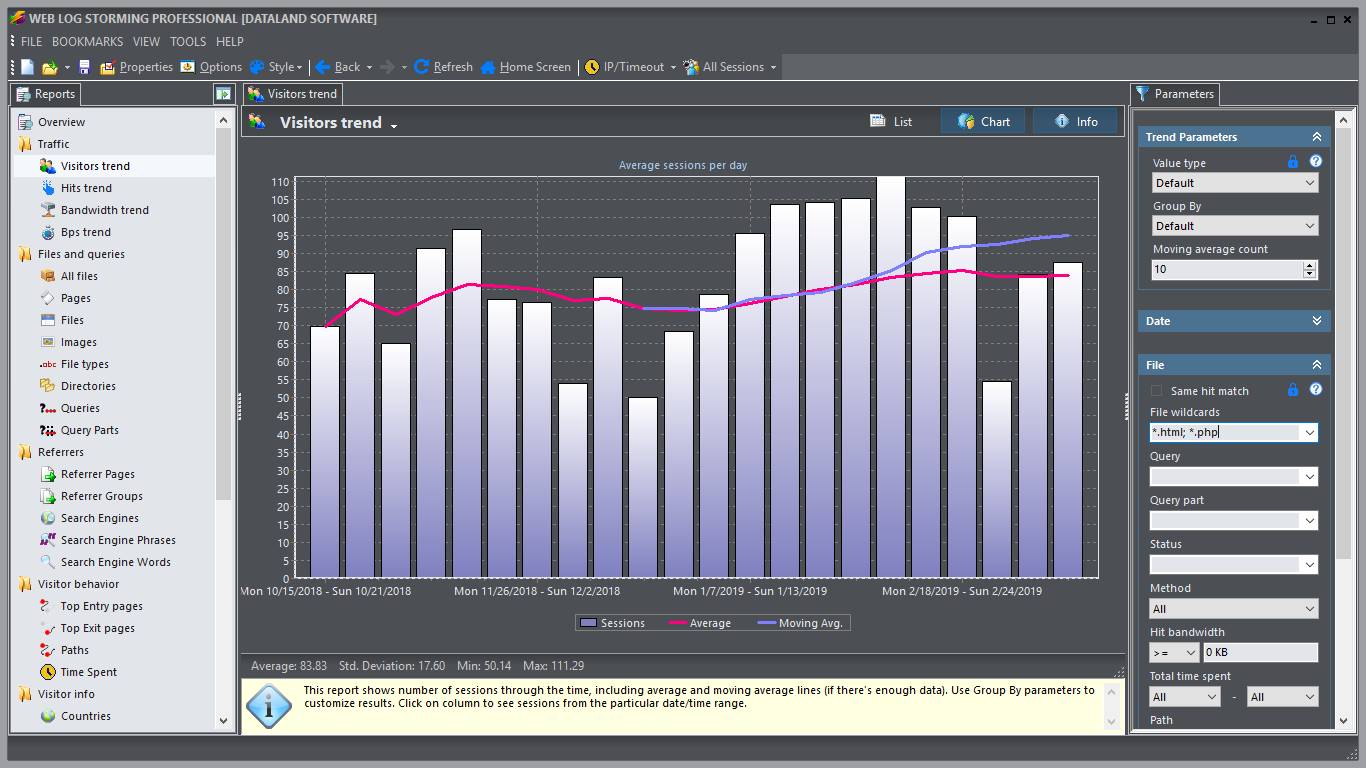
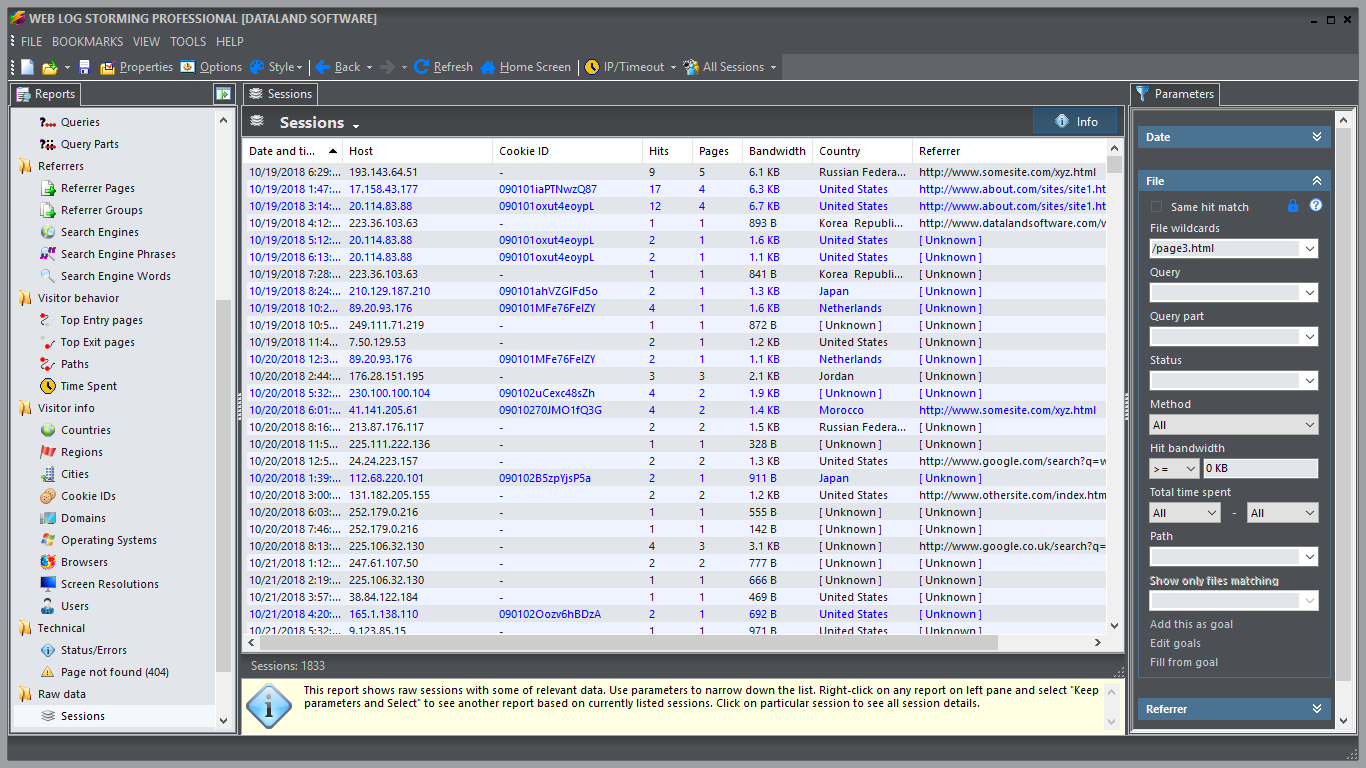
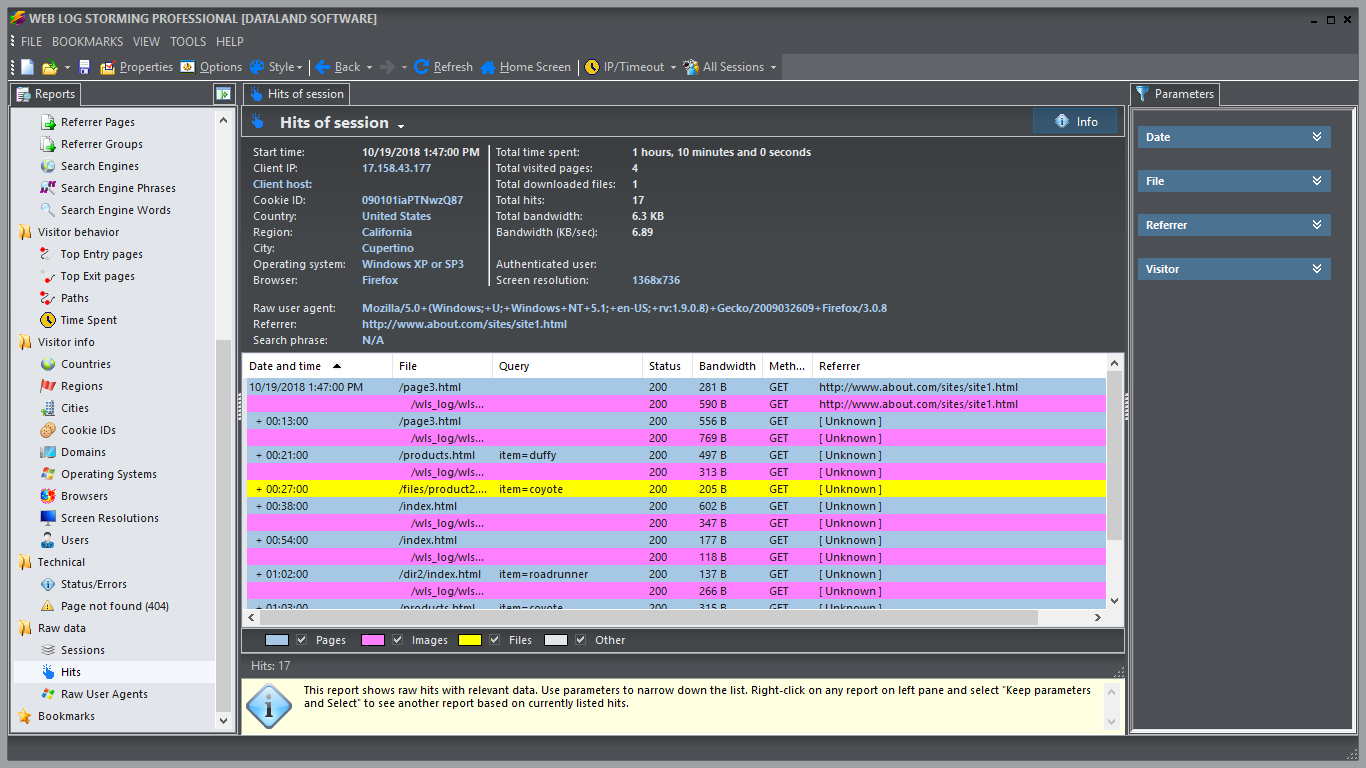
Web Log Storming is an interactive, desktop-based web log analyzer for Windows with hybrid (JavaScript and Cookies) capabilities. A whole new concept of website statistics makes it clearly different from any other web analytics software. Browse through stats to drill down into details - down to an individual visitor's session. Check the pattern of individual visitor behavior and how it fits into your goals.
Web Log Storming is an innovative web log analyzer software application for making sense of your server's log files. It does far more than just generate common reports. It displays detailed web site statistics with interactive graphs and reports. Complete and detailed log traffic analytics from every visitor to your web site is only a mouse-click away.
With this web site analytics software, it's easy to track goals and conversions, sessions, hits, page views, downloads, or whatever metric is most important to each user. You can look at referring pages and see which search engines and keywords were used to bring visitors to the site. Web site behavior, from the top entry and exit pages, to the paths that users follow, can be analyzed. You can learn which countries your visitors come from, and which operating systems and browsers they use. You'll learn how your bandwidth is being used, and how much time users spend on your site. You can tell how popular your files, images, directories, and queries are.
In other words, analyze your web logs like never before!


Key benefits over other web analytics solutions
Web Log Storming clearly stands out from the crowd with its unique features.
Compared to JavaScript web analytics
- Code editing
Cookies or scripts not required, but optional for hybrid analysis - No data loss
Uses existing log files, even from the past, and you are free to switch from or to another software without losing information - Full control
Data is kept on your computer and it's not used by other companies - No foreign scripts
In addition to privacy concerns, every script hosted on another domain slows your website down and/or there's a risk they won't load, or that are blocked by browser - Shows any file type visits
You see stats for other files, not just pages (images, videos, PDFs, EXE, ZIP...) - Shows access errors
You can investigate any error, such are missing files, internal server errors, access to forbidden areas, etc. - Spiders/bots
Easily include or exclude spider visits from reports, with just one click - Bandwidth control
See if anyone is wasting your bandwidth by repeatedly downloading large files, embedding images to their pages, etc.
Compared to other log analyzers
- Code editing
Cookies or scripts optional for hybrid analysis, but not required - Flexible and interactive reports
Don't just accept developer's assumptions about what you are interested to see - create your own reports - Track individual visitors
See any visitor's detail available in log files, including previous visits, session and hit details, accessed pages, etc. - Change filters ad-hoc
Adjust filters (parameters) "on-the-fly" and immediately see specific reports you need - Goal conversions
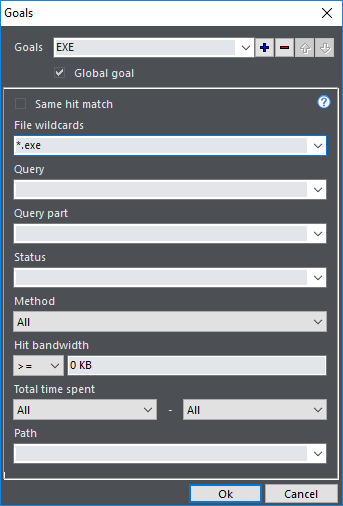
Define a goal that you want to track and check how it relates to any subset of data - Bookmarks
Save custom reports so you can easily run them again later - Every detail counts
Analyze every bit of information - no grouping less popular items under the "Other" label - Optimized memory model
Most other log analyzers use slow database systems to process data, which limits possibilities
Examples of Web Log Storming usage
Web log analysis is a complex subject which you need to master, especially if your website is part of your business. Here are few examples on how you can use Web Log Storming to improve your website or find out about any of possible problems.
1. Rate referrers by effectiveness and stop wasting advertising money
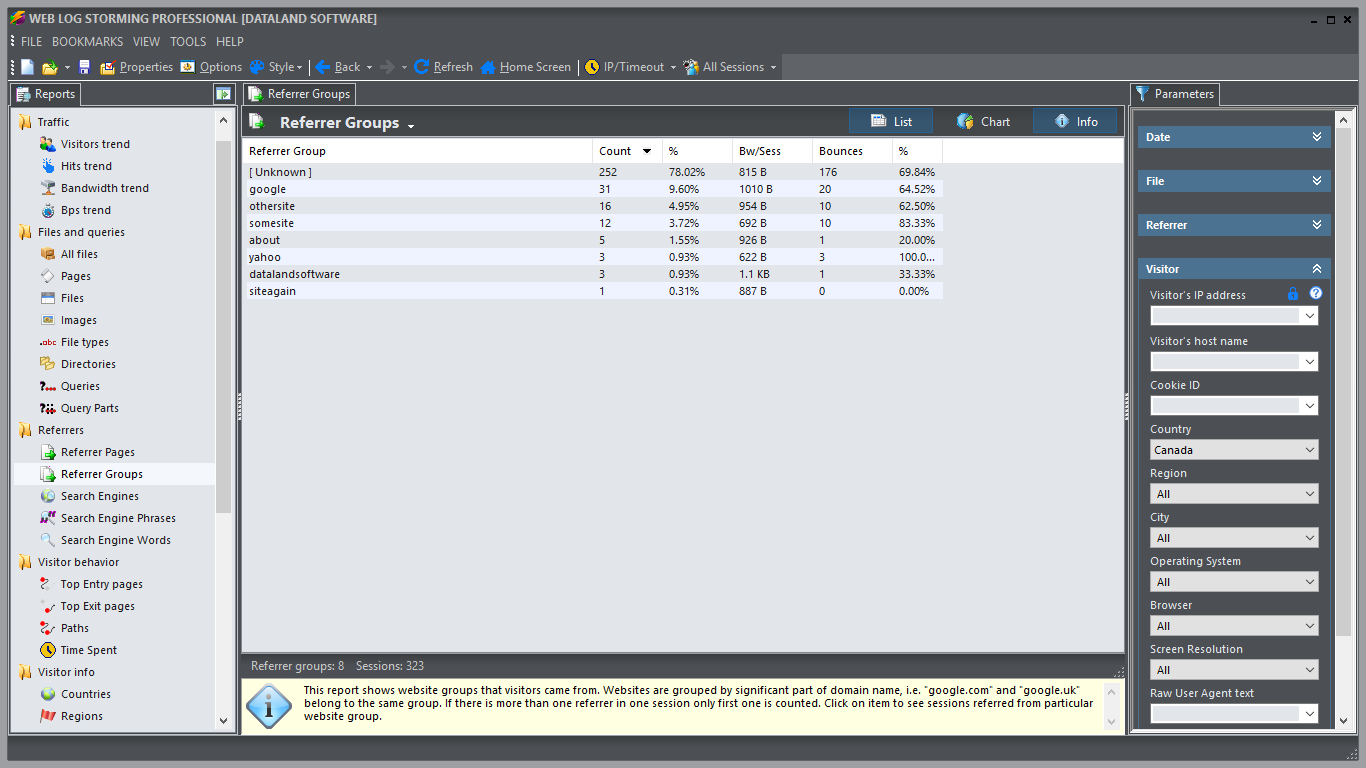
A simple referrer report sorted by number of visits is hardly enough for serious analysis. First of all, with Web Log Storming you can easily identify referrers that link to images on your server. Other analyzers usually show those as regular referrers and you don't get a real picture. With Web Log Storming you can rule out those visits by typing a wildcard in the File parameters (for example: "*.html, *.php, *.exe").
Furthermore, you can sort referrers by goal conversions. With our software it's easy to answer the question which referrer is more effective: abc.com (with 1000 visits and 10 conversions) or xyz.com (with 100 visits, but 20 conversions). If you are paying for the traffic you really can't afford to ignore this information.
2. Get deeper understanding of paid traffic
Google AdWords goals detection simply isn't enough in most cases. The basic number of conversions is an important metric, but with Web Log Storming you can view any available report based on these visits and try to improve AdWords campaign so you don't throw your money away.
For example, you can see the exact search phrase and tweak keyword settings, find out what visitors do and for how long they stay before they reach the goal, if they come back later or not, etc.
3. Detect bandwidth waste
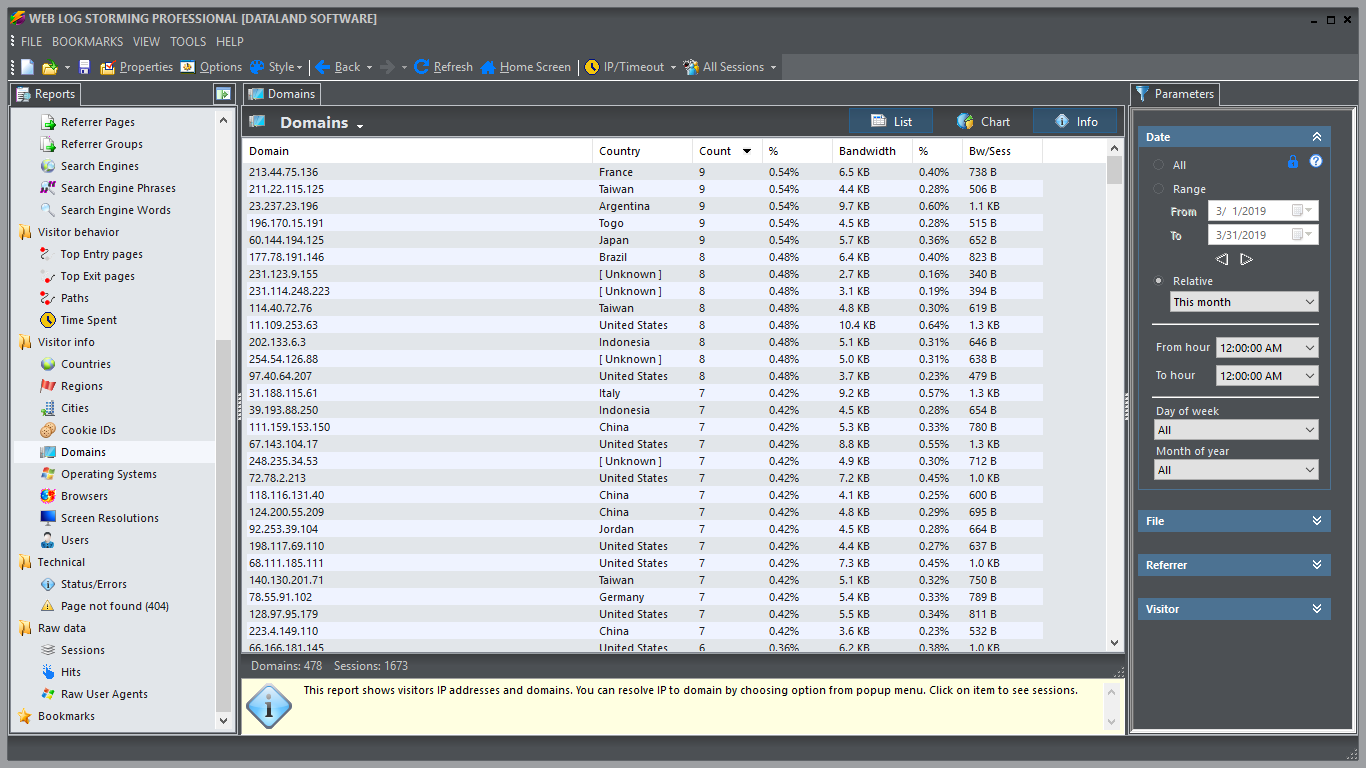
Web Log Storming allows you to easily detect bandwidth wasting. Use the Domains report to find hosts that transfer too much data and configure your web server to deny traffic to them. But don't do this blindly, as you can easily see more information about domain. Proxies can use more bandwidth than it's usual, but you don't want to blacklist them if they bring legitimate visitors.
4. Investigate individual visitors
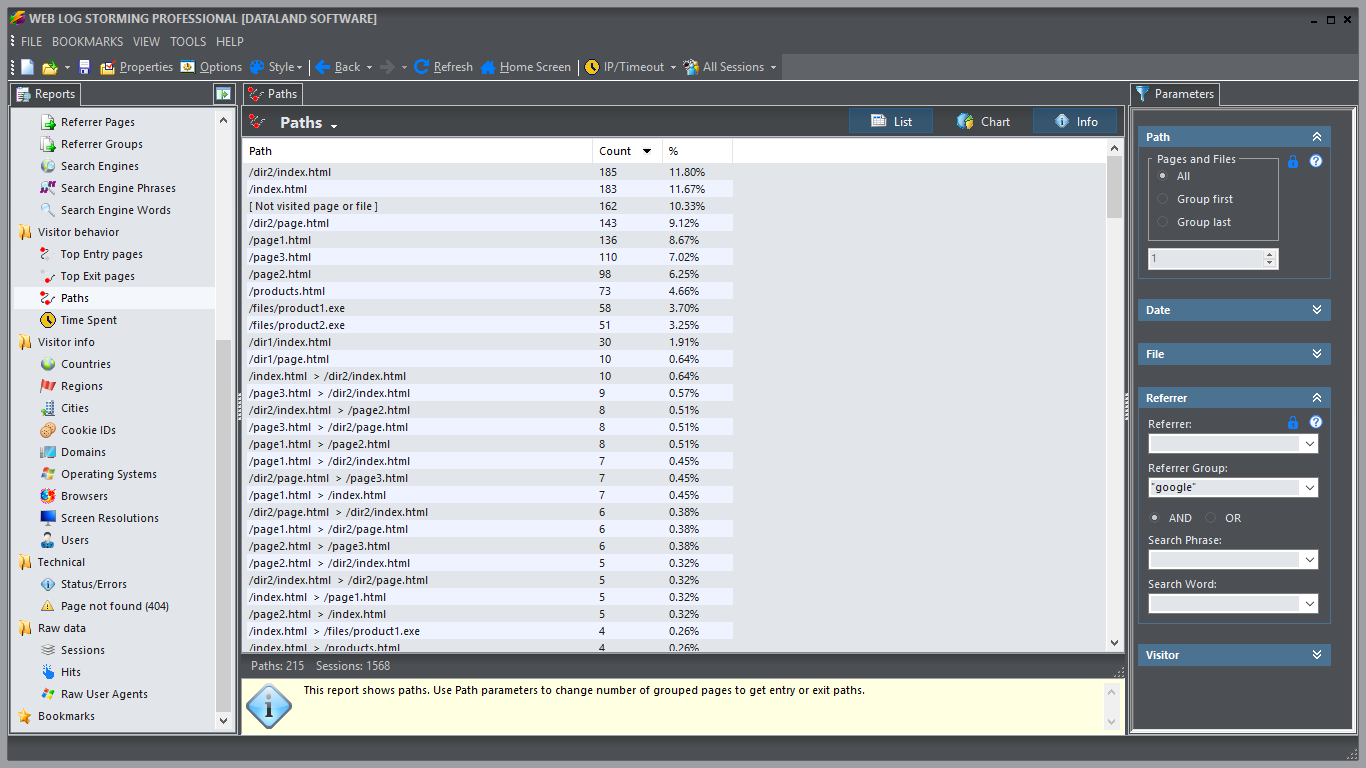
You can inspect the the browsing behavior of individual visitors (for example, new customers) to see their actions. You can track down their first visits, see how often they come back and what pages they were interested in. Use this information to improve your website so you other visitors can find the same information more easily and convert more often.
5. Find "bottlenecks"
Identify pages that don't convert well. Find out why that is and improve the content: rephrase text or put more prominent links. Maybe an unfortunate typo scares potential customers away.
6. Find errors on your website
Use the Status parameter to find if there are some missing pages or mistyped URLs (type "404" in Status field), identify if hackers are trying to access restricted areas ("403") or if internal server errors happen on your website ("500").
For more information read the online help, download a free trial version or contact us directly.


Supported log file formats
Currently Web Log Storming supports:
- IIS W3C Extended log file format
- Apache Combined log file format
- Nginx log file format
System requirements
Web Log Storming requires a PC with Microsoft Windows™ 10 / 8.1 / 8 / 7 / Server 2008 / Vista / XP. Amount of RAM and processor speed depends on how many traffic your website receives.